

FCS++

FSTDMS · the FSTD management system of FCS++
FSTDMS runs every FSTD. On one record, with the rules built in.
The world's first FSTD management platform with the FSTD Capability Signature and the regulations integrated.
FSTDMS keeps the working record of every flight simulation training device you operate, build or oversee, with each entry tied to the Capability Signature of the device and to the rule it falls under. A cloud platform (SaaS), part of FCS++. As of October 2026 we know of no other FSTD management platform with both built in.
In 60 seconds
One record per simulator. What it did, what it needs and what changed.
What it did
Hours on the controller computer, hours of the simulation software and completed flights, counted by the device and kept as separate figures.
What it needs
The maintenance programme, by hours and by calendar: what is due, what is overdue and who has been told.
What changed
Faults, settings, software and board versions on one timeline, each change mapped to the Capability Signature features it can affect.
The management platform
The management platform for your FSTDs. From acquisition to the recurrent QTG.
FSTDMS follows each flight simulation training device through its whole life: the contract and documents from its acquisition, the parts and maintenance while it is in service, the channel to its manufacturer, its FSTD Capability Signature and the risk assessment reports that the recurrent evaluation asks for.
Acquisition
Contract, hand-over and signed acceptance.
Initial qualification
Capability Signature, Equipment Specification List and QTG.
In service
Hours, maintenance, parts and faults.
Changes
Every change, with its risk assessment.
Recurrent QTG
The QTG run again, with the evidence ready.
Six modules on one record
Document manager
Certificates, manuals, QTG and evaluation reports in one vault per device.
Contract management
The contracts of each device, kept with its record.
Parts management
The parts fitted to each device and its spares.
Maintenance management
The maintenance programme by hours and by calendar, with notifications.
Manufacturer channel
Communication with the manufacturer of each FSTD, kept on its record.
Recurrent QTG
QTG runs and results, kept for every recurrent evaluation.
The automated FCS module
The Capability Signature, kept current.
FSTDMS manages the 14-feature FSTD Capability Signature (FCS) of each device. When something changes, it marks the features the change can affect and drafts the risk assessment report for the recurrent evaluation.
Detected by the software
Avionics software version changed
Recorded by hand
Projector replaced
Capability Signature: 14 features
Features these changes can affect: aircraft systems, visual and navigation.
Risk assessment report drafted
A person approves it. Nothing is approved automatically.
The risk assessment report is drafted from the changes the software detects and from the changes recorded by hand. A person approves it, and the competent authority decides on the qualification.
The device record
The working record of an FSTD. Hours, maintenance, faults and sharing.
The Capability Signature says what a device can credit. Running the device produces the rest of its record, and FSTDMS keeps it: one file per FSTD, for the operator, the manufacturer and the authority.
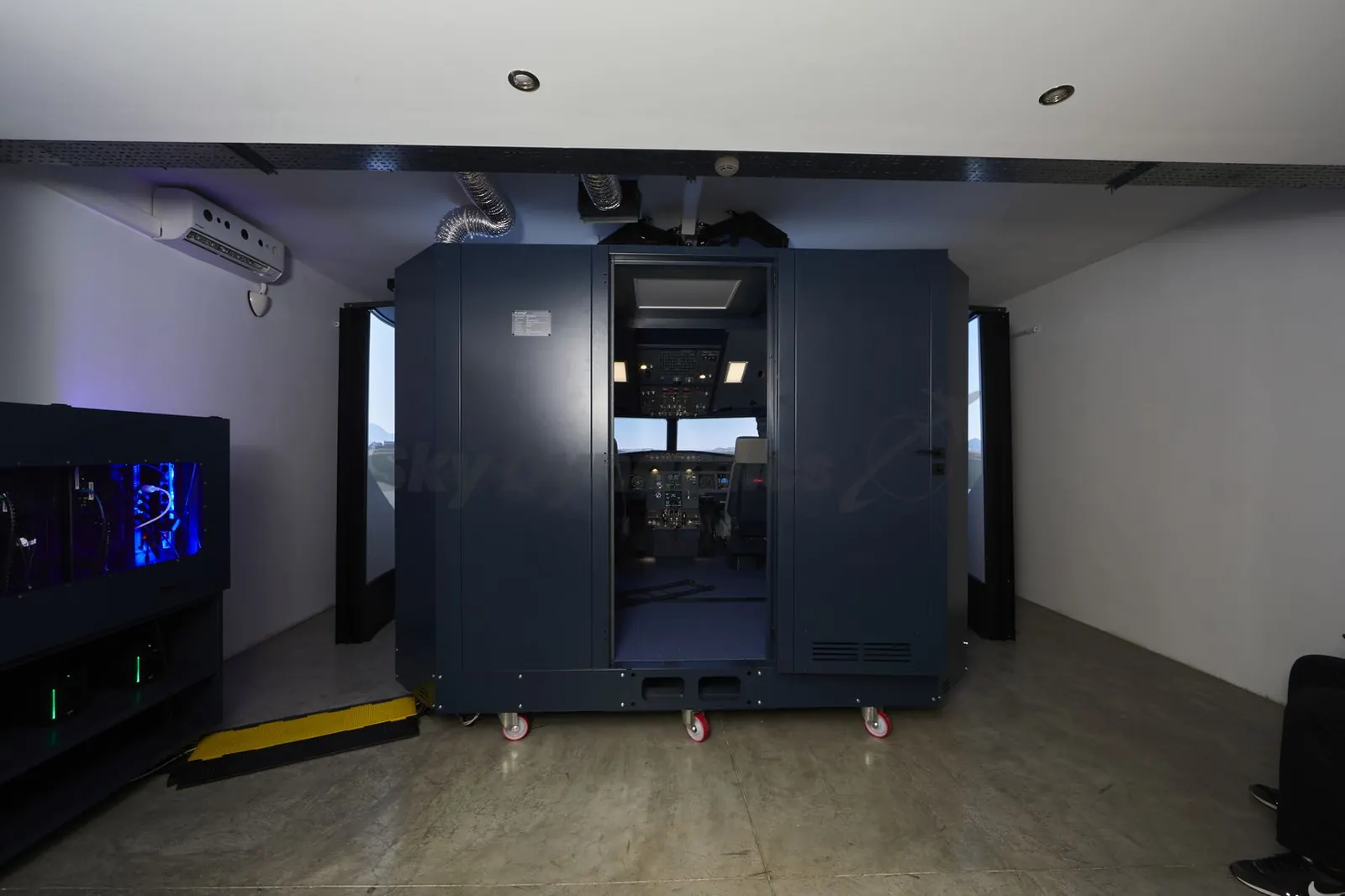
Hours tracked automatically
Running time is recorded from the simulator host, with no log to fill in. Host computer hours, simulation software hours and completed flights are kept as separate counts, per device and per period.
Maintenance notifications
Intervals come from the manufacturer's maintenance programme, by hours or by calendar. Due and overdue tasks notify the people responsible, and an item closes itself when the work is recorded as complete.
Faults logged and resolved
Software crashes, power losses and changed settings files are logged as they happen. A changed file can be restored to its last good version from the log, and the outcome is recorded.
Sharing with the authority
Give your competent authority read-only access to a device file: certificate, ESL, QTG records, maintenance history and change timeline. Access has an end date, can be withdrawn, and every share is logged.
Manufacturer and operator on one record
The manufacturer hands the device over by serial number with its factory baseline. Service bulletins, maintenance programmes and support tickets then pass between manufacturer and operator on the same record. Each party sees only what the other shares.
The rest of the device file
Document vault, software licences with their expiry dates, navigation data (AIRAC) cycles, hardware and network configuration, contacts, open issues and a calendar of evaluations and maintenance.
Hours and maintenance
Hours counted by the device. Maintenance due before it is late.
The simulator reports its own running time, so nobody fills in an hours log. The maintenance programme runs against those hours and against the calendar, and tells the people responsible when a task is due.
Counted by the device
- Controller computer
- 1,317 h
- Simulation software
- 1,102 h
- The maintenance programme runs on this figure.
- Completed flights
- 908 h
Maintenance programme
Visual system: projector filters
Every 250 hoursDone and recorded. Next in 250 hours.
Control loading: calibration check
Every 6 monthsDue in 41 days
Power supply: battery test
Every 12 monthsDue in 120 days
FSTDMS warns. It never takes a device out of service on its own.
Separate clocks
Controller computer, simulation software and completed flights are counted apart. Flight hours are never inferred from a computer that was simply switched on.
The manufacturer's programme
The maintenance programme of the device is loaded from its manufacturer and can be extended by the operator with tasks of its own.
A warning, not a grounding
FSTDMS notifies when a task is due or overdue. Taking a device out of service stays the decision of the operator.
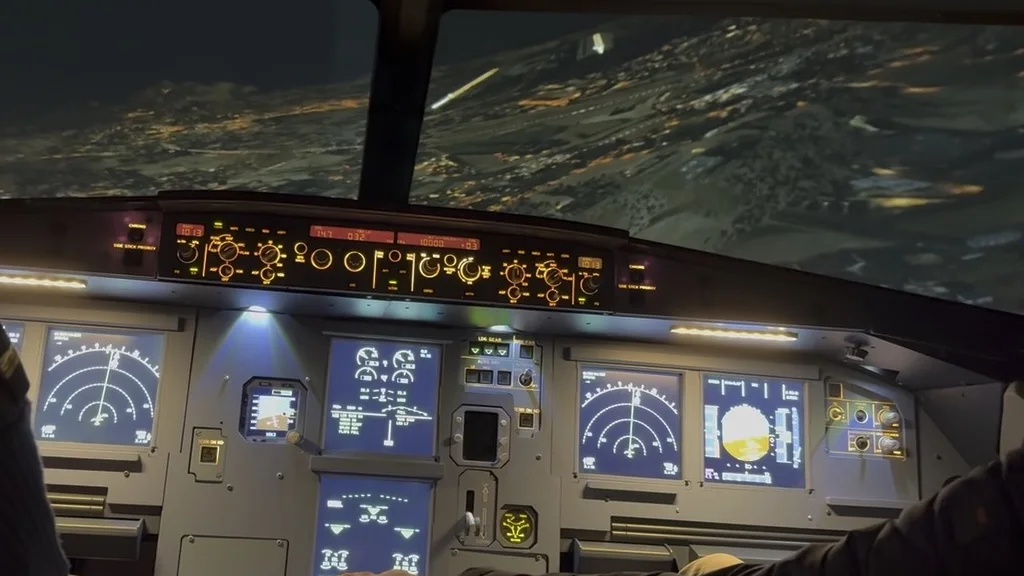
Live monitoring
Every simulator, live. From the next room or the next country.
FSTDMS reads the simulator while it runs: aircraft systems, hardware parts, the network and the visual system, in real time, on site or remote. There is no remote desktop session: the engineer works in native tools connected to the device.
Aircraft systems
- Indicated airspeed
- 140 kt
- Altitude
- 6,800 ft
- Green hydraulic pressure
- 3,000 psi
Hardware parts
- Flight control unit board
- Online
- Overhead panel boards
- 6 of 6 online
- Power supply, 24 V rail
- 24.1 V
Network
- Controller to bay computers
- 4 of 4 linked
- Reply time on the device network
- 0.4 ms
- Device to FCS++
- 38 ms
Visual system
- Channel 1
- 60 frames a second
- Channel 2
- 60 frames a second
- Channel 3
- 60 frames a second
What happens next
All readings inside their range.
The engineer is told
A notification names the device, the part and the reading.
The part is opened
In the native tool for the visual system, from another city. No remote desktop.
It goes on the record
The fault, the fix and the time are kept in the device log.
Aircraft systems
Airspeed, altitude, heading, attitude and position, with the state of the simulated aircraft systems, as the session runs.
Hardware parts
Boards, panels, power supplies and computers report whether they are online and how they are running.
Network
Every computer and link on the device network: what is connected, what is slow and what has dropped.
Visual system
The image generators and each display channel, watched while the picture is on the screen.
Live data belongs to the operator. A manufacturer or a maintainer sees a device only when the operator shares it.
Remote avionics tunnelling
Reach the avionics. Over the web, the local network or LoRa.
An avionics unit or an interface board inside the simulator can be reached in real time by the tool built for it, as if the engineer were plugged in beside the device. FSTDMS tunnels the connection over the local network, over the web or over LoRa long-range radio.
On the simulator
Flight control unit
The unit on the glareshield, on the device network.
- Speed
- 180 kt
- Heading
- 090 degrees
- Altitude
- 5,000 ft
The tunnel
Local network
ReadyOn site, on the simulator network.
Over the web
LiveFrom anywhere with an internet connection.
Over LoRa
ReadyLong-range radio, independent of the site internet connection.
In the engineer’s tool
The native tool for that unit
Connected as if it were plugged in beside the device.
- Speed
- 180 kt
- Heading
- 090 degrees
- Altitude
- 5,000 ft
Received over the web
The same values on both sides, in real time, on whichever path is open.
Local network
On site, the tool connects over the simulator network, with no cable to move and no panel to open.
Over the web
From the manufacturer or from another base, the same unit in real time, with no remote desktop on the simulator computers.
Over LoRa
A long-range radio link that does not depend on the internet connection of the site.
Over-the-air updates
Boards updated over the air. No visit, and every version on the record.
The hardware parts of a simulator run software of their own. FSTDMS delivers updates to them over the air, board by board, and keeps the version each part runs on the device record.
Boards on the device
Flight control unit board
Version 2.4Running version 2.4
Overhead panel board
Version 1.8Pedestal board
Version 3.1Thrust lever board
Version 1.2
The update
Published
The manufacturer publishes version 2.4 for the board.
Approved
The operator starts it when the device is free.
Sent over the air
The update reaches the board over the device connection.
Confirmed
The board restarts and reports its new version.
Logged
The change goes on the timeline with the features it can affect.
Features this board can affect: Flight control systems operation, Aircraft systems
No site visit
An update to a board reaches the device over its connection: no engineer travelling, no panel opened.
A version for every part
The device record shows which version each board runs, and when it changed.
Part of configuration control
Each update is a change on the device timeline, mapped to the Capability Signature features it can affect (ORA.FSTD.110).
Regulations integrated
Every action has a rule. FSTDMS shows which one, and what it asks for.
Keeping a qualified FSTD and modifying it are governed by Part-ORA (ORA.FSTD.105 and ORA.FSTD.110) and, from 30 April 2028, by the Capability Signature of Regulation (EU) 2026/781. FSTDMS classifies each maintenance action and each change as it is recorded, shows the rule it falls under and drafts the risk assessment where one is needed.
Scheduled maintenance
Projector filters replaced
Rule it falls under
ORA.FSTD.105
Risk assessment
Not required
What is kept
Maintenance report
Upgrade
Visual system upgraded
Rule it falls under
ORA.FSTD.105 and ORA.FSTD.110
Risk assessment
Required
What is kept
Maintenance report, risk assessment, change record
Configuration change
Avionics software version changed
Rule it falls under
ORA.FSTD.110
Risk assessment
Required
What is kept
Change record, risk assessment
Board or software update
Flight control unit board updated over the air
Rule it falls under
ORA.FSTD.105 and ORA.FSTD.110
Risk assessment
Required when a Capability Signature feature is affected
What is kept
Maintenance report, risk assessment, acknowledgement by the technical director
- ORA.FSTD.105
- Maintaining the FSTD qualification
- ORA.FSTD.110
- Modifications
A risk assessment is drafted for a person to approve. Nothing is approved automatically.
Classified as it is recorded
Scheduled work, an upgrade, a configuration change or an update: each is filed under its class, with the rule that applies.
Tied to the Capability Signature
A change lists the features it can affect, so the signature and the Equipment Specification List stay in step with the device.
Approved by a person
Risk assessments are drafted for a person to approve. Major modifications and the Equipment Specification List are never approved by the software.
A maintained rule library
Citations come from the regulatory corpus kept in FCS++: EASA first, with ICAO Doc 9625 and other frameworks tracked.
The classification is an aid for the operator of record. It is not a legal schedule and it does not replace the approval of the competent authority.
Who it serves
One record, four parties. Each sees what it is given.
Operators, ATOs and training centres
The operator of record runs the device: hours, maintenance, issues, licences, documents and the people assigned to each simulator, across an FNPT II, FTD or full flight simulator fleet.
Simulator manufacturers and integrators
The manufacturer registers each device by serial number, hands it over with signed acceptances, publishes its maintenance programme and its updates, and supports it remotely when the operator shares it.
Maintainers and technicians
A maintenance organisation or a technician works from a shared queue and records the work done, within the access the operator grants.
Authorities
Read-only access to the device file the operator shares: certificate, ESL, QTG records, maintenance history and change timeline.
The platform
A cloud platform. With a client on every simulator.
FSTDMS is delivered as software as a service (SaaS): nothing to install on the office side. A small client runs on the computers of each simulator and connects the device to its record.
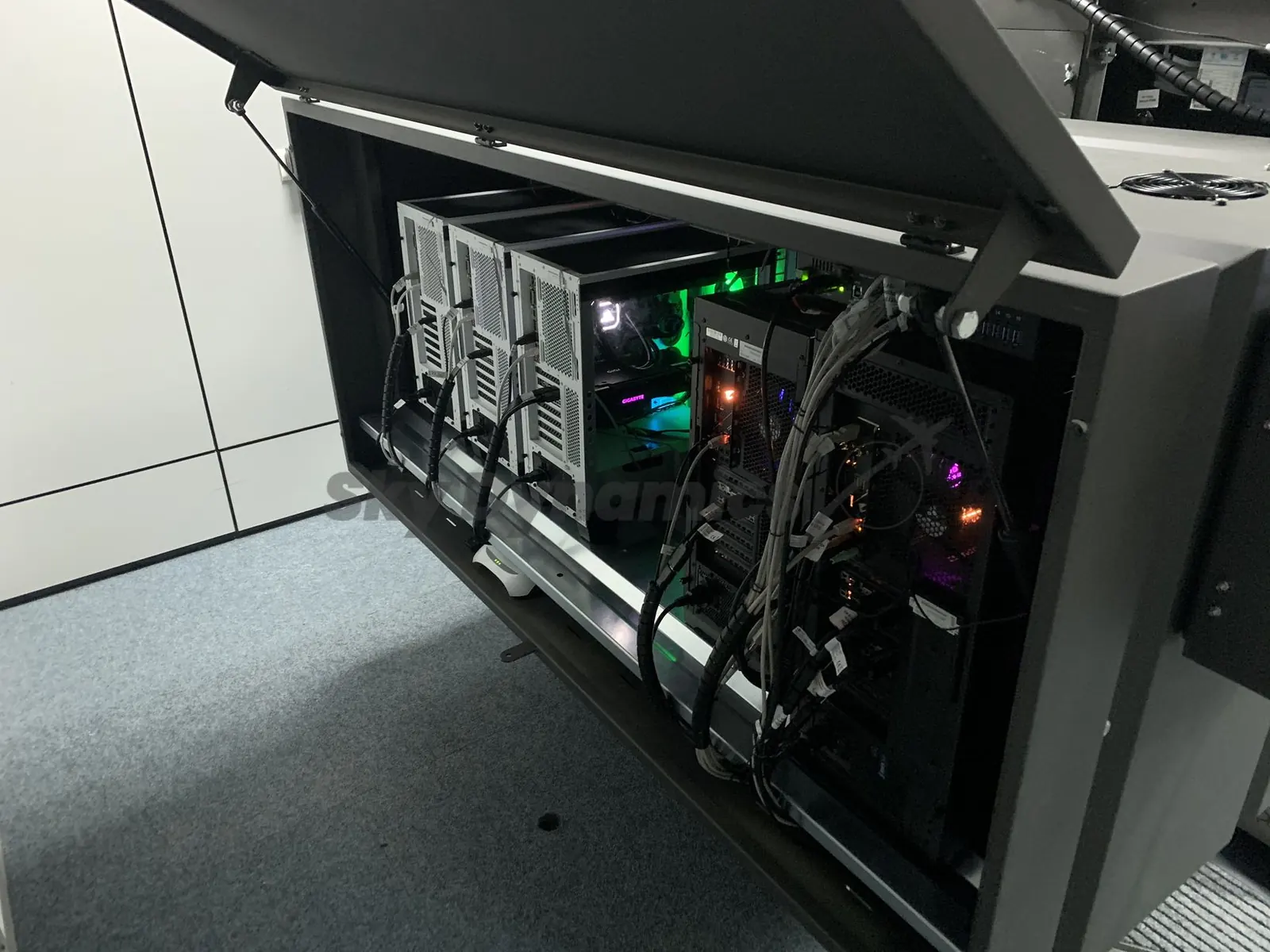
Team accounts and roles
Each organisation has its own account, with roles and permissions for owners, administrators, members and technicians.
A client on the controller and bay computers
Each computer of the simulator is enrolled with its own credential. The client reports hours, logs and health, and carries out the commands it is sent.
Works when the link drops
Commands and logs are kept on the device and delivered when the connection returns, so a network fault does not lose the record.
Remote control of applications
Start, stop and restart the applications of the simulator from the fleet view, or apply a settings change and restart in one step. A session in progress is protected from interruption.
An assistant that asks first
The AI assistant answers from the device record and prepares actions. A person confirms every action before it is carried out.
Part of FCS++
The same record holds the Capability Signature, the Equipment Specification List and the QTG tool, and connects to AeroEBT so Evidence-Based Training (EBT) and CBTA sessions run on devices that can credit them.
What FSTDMS is. And what it is not.
A tool for the operator of record
FSTDMS records, counts, reminds and classifies, and it cites the rule behind what it shows. The decisions stay with the people accountable for the device.
Not an approval
It does not replace the competent authority's approval, it does not certify training credit and it never takes a device out of service on its own. Its hour counts are operational figures, and sharing evidence does not transfer legal responsibility.
Photographs
The devices behind the record. Simulators built by SkyDynamics.
Our own photographs. Select one to see it full screen.
FSTDMS: questions operators and manufacturers ask
What is FSTDMS?
FSTDMS is the FSTD management system of FCS++, the SkyDynamics platform for flight simulation training devices (FSTD). It keeps the working record of each device: hours, maintenance, faults, live state, updates and QTG history, tied to the Capability Signature of the device and to the rules that govern it.
Is FSTDMS a separate product from FCS++?
No. It is the part of FCS++ that manages the device day to day. FCS++ records what a device can credit, its Capability Signature under Regulation (EU) 2026/781. FSTDMS keeps what happens to the device. Both work on one record.
Which simulators does FSTDMS manage?
Any FSTD of any manufacturer and any aircraft category: FNPT II (FNPT 2), FTD and full flight simulators, including the Airbus A320, Boeing 737 and Bombardier Q400 devices and the SEP, MEP and IR trainers SkyDynamics builds.
Can a simulator be monitored and supported remotely, without remote desktop?
Yes. FSTDMS reads the aircraft systems, hardware parts, network and visual system of a simulator in real time, on site or remote, through native tools connected to the device rather than a remote desktop session. Avionics units can be reached by tunnelling over the local network, the web or LoRa, and boards can be updated over the air.
How are simulator hours counted?
By the device. The client on the simulator reports the running time of the controller computer, of the simulation software and of completed flights as separate figures, so the hours that drive maintenance are not a blended number and nobody keeps an hours log by hand.
Does FSTDMS ground a simulator when maintenance is overdue?
No. It warns and notifies the people responsible. Taking a device out of service stays the decision of the operator.
Which regulations are built in?
Each maintenance action and each change is classified and shown with the rule it falls under: ORA.FSTD.105 for maintaining the FSTD qualification and ORA.FSTD.110 for modifications, with the Capability Signature and the Equipment Specification List of Regulation (EU) 2026/781 and CS-FSTD Issue 1. The classification is an aid for the operator: it does not replace the approval of the competent authority.
Can the manufacturer see our simulators?
The manufacturer registers the device and hands it over. After the hand-over, the manufacturer sees the working record and the live data of a device only when the operator shares them.
How do we start?
With a demonstration on one device: we go through the record of a simulator, how the client is installed on its computers and what your team would see on the first day.
See your simulators on one record.
In a demonstration we go through the record of one device: its hours, its maintenance programme, its live state and the rules behind each entry.
We respond within one business day.