
aeroEBT

EBT & CBTA platform for airlines and ATOs
Keep your EBT programme from drifting. Prove it to your authority.
We turn EBT from a complex process into a simple daily operation.
AeroEBT runs the ORCA cycle (observe, record, classify, assess) and what follows it: debrief, report, calibrate. Instructors open the session, grade and debrief; concordance and authority evidence come from the same record. Aligned to ORO.FC.231 and ICAO Doc 9995. Your training records are held in data centres in Switzerland.
Topproduct
Mostinnovative
Highassurance
Where EBT programmes break. Three problems every Head of Training recognises.
Drift
Within two to three years, many programmes slide back from training to checking. Nobody decides it; it just happens.
Concordance
Two instructors, one crew, two different grades. Without measuring it, your training data is partly noise.
Evidence
The data exists, but the story your authority asks for (what you saw, what you changed, what improved) takes weeks to assemble.
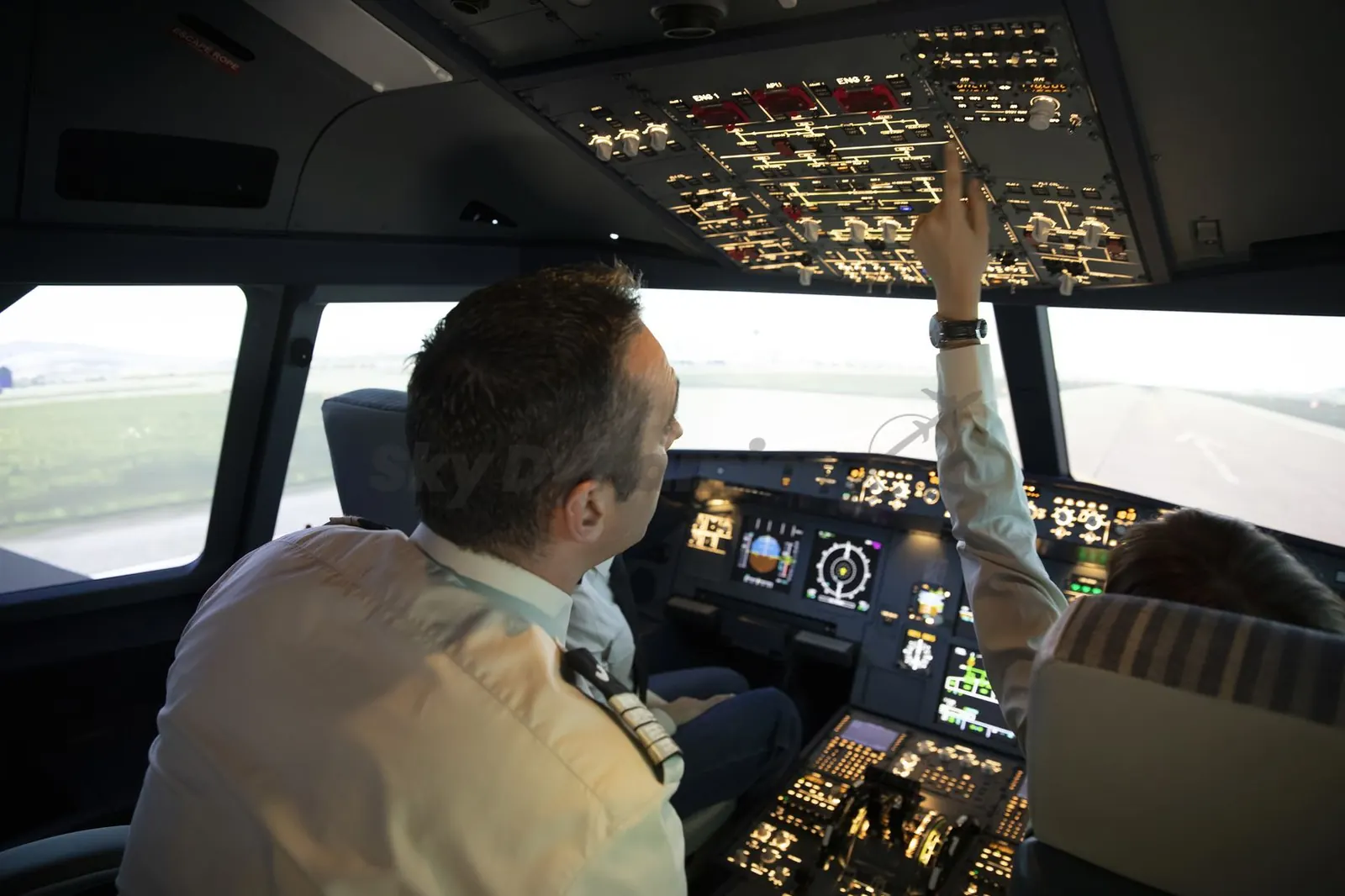
In the simulator
Focus on training, not the app. One procedure on iPad: open the session, grade, debrief.
In the simulator, an instructor's attention belongs to the crew. Notes are written as the session happens, typed or handwritten, online or offline. AeroEBT proposes observations and competencies from those notes, and the instructor confirms them.
- Grading to your competency framework and grading scale, in three taps or fewer
- Offline in the device, synchronised automatically, with signatures and paper-parity PDF records
- Concordance and audit evidence come from the same entries: no parallel forms, no second system
- Learned in one session with a colleague
A technology developed by SkyDynamics
Every action already knows its background. The Contextual Composition Protocol, behind every AeroEBT application.
The Contextual Composition Protocol holds all the data relevant to a task in memory, so whenever someone acts, the system already knows the background.
Comment on an event or a failure, and the protocol is already holding the scenario, the failure information and the scope of the programme.
In the EBT Scenario Builder
Every comment and change is made with the whole scenario and its failure information behind it.
- Scenarios come out clear and compliant in fewer steps and fewer review meetings
In the instructor app
Every instructor records and assesses with the same correlated context.
- The app holds the scenario phase, the event in play and the observable behaviours to look for
The protocol never intervenes in what a designer or an instructor decides, and nobody operates it directly.
From your SMS to the simulator
Great EBT starts with the scenario. The EBT Scenario Builder turns your own safety data into checked scenarios.
Train for the risks your own safety data shows, not a generic list: the capability that enhanced EBT rests on.
Your safety data
- Occurrences
- FDM / FOQA trends
- Audit findings
Contextual Composition Protocol
- The whole scenario held in memory
- Every change made in context
- AeroBrain assistant, optional
Checked in real time
- Requirements
- Coverage
- Difficulty
Instructor app
- The same scenario
- Its intent and observable behaviours
- Offline on iPad
Built from your SMS data
Safety findings become prioritised training needs, then scenarios.
Checked as you write
Coverage, A/B/C topics, equivalency and difficulty, in real time.
Tailored to the group
Weight the design toward the competencies a trainee group is struggling with.
A typical airline process
Nine steps, one session. From specification to checked EBT scenario in about two hours, by one person.
A typical airline process builds each EBT scenario through thirteen stages: a specification approval, design drafts and meetings, a compliance check, an email review round, two simulator runs and a classroom standardisation meeting. With AeroEBT, steps 1 to 9 became one session.
- Steps 1 to 9 before
- A team, meetings and email
- Steps 1 to 9 with AeroEBT
- One person, about two hours
One draft
Compliance and balance are checked as the scenario is written: three drafts become one.
One optional simulator run
One validation run, if the training department wants it, instead of two.
Straight to distribution
No classroom meeting: the scenario intent and observable behaviours reach each instructor in the app.
About two hours for steps 1 to 9 is SkyDynamics' figure for one trained user of the EBT Scenario Builder; it varies with scenario complexity. The specification is still approved by the training manager or a designated person. The airline is not named here.
Assess and debrief
A loop, not a checklist. ORCA: observe, record, classify, assess. Then debrief, report and calibrate.
ORCA is the four steps of the session. AeroEBT closes the loop with three more, and the last two are the ones programmes most often leave open.
Observe
The instructor watches behaviour, not items: what the crew did, when, and under what pressure.
Record
Observations and notes are captured in the moment, on iPad, not reconstructed from memory.
Classify
Each observation is tied to the competency and behaviour it evidences.
Assess
The instructor remains the assessor and grades against your framework and scale, with a full audit trail.
Debrief
Grades say what; notes say why. Notes become confirmed observations, so the narrative survives the session.
Report
The pilot record, the programme view and the authority pack come from the same data.
Calibrate
Each instructor is compared with the fleet baseline, and calibration is planned, run and measured again.
Instructor concordance
See who grades differently, and why. Each instructor against your fleet baseline, from the grades already entered.
AeroEBT shows each instructor's grade distribution against your fleet baseline, so calibration goes where it matters instead of re-briefing everyone.
Drift per instructor
Who grades higher or lower than the fleet baseline.
Nothing extra in the session
The comparison comes from normal grading: no separate form, no extra tick-box.
Calibration on record
Calibration sessions are planned and recorded in the same system, then measured for effect.
Evidence and data
Your training records, under your control. Evidence from live data, held in Swiss data centres and exportable.
The evidence your authority asks for comes from the live record: what you saw, what you changed, what improved. The record itself is held in data centres in Switzerland.
Pick a point to mark it in the diagram.
EBT does not end at the simulator. It connects to the device, the fleet baseline and the pilot's path to the line.
The simulator session
Observed, graded and debriefed in AeroEBT.
FCS++
Each simulator's FSTD Capability Signature, so sessions run on devices that can credit them.
Learn moreAeroBrain
Grading drift flagged against the fleet baseline.
Learn moreMPL programme
Competency tracking from the first cadet lesson to the line.
Learn morePilot pipeline
One pilot record from the ATO to the line.
Learn more
Further reading
For Heads of Training
The programme, the standard, the evidence and the cost view for the accountable manager.
Learn moreMixed to baseline EBT
Mixed EBT today, baseline EBT on your timeline: prerequisites, phases and pitfalls.
Learn moreBaseline to enhanced EBT
Training from your own safety data, and what the rules allow today.
Learn more
Getting started
Set up in under 15 minutes. The programme structure, from ready-made data for your aircraft type.
On an aircraft type with ready-made data, your EBT settings and the structure of the whole programme are in place in less than 15 minutes instead of months.
- Building the programme structure by hand
- Months
- In AeroEBT, from ready-made type data
- Under 15 minutes
It starts from ready-made data
Procedure lists, failure databases, event libraries and A/B/C topic lists are already there.
Checked as it is built
A/B/C topic coverage (ORO.FC.232) is checked as the programme is built.
Approval stays with your authority
This is the setup in AeroEBT. Approving the programme remains between you and your competent authority.
SkyDynamics' figure for setting up the EBT settings and the programme structure in AeroEBT on an aircraft type with ready-made data. Importing records, training instructors and the parallel run follow in your first 90 days.
Implementation
Your first 90 days. From mapping your EBT programme to go-live, with a parallel run.
A typical rollout; timings are agreed after the demo. Start on mixed EBT and move to baseline EBT on your own timeline.
Week 13 of 13: Go live
Ready-made training data
Ready for your aircraft type. Scenario data for the A320, B737, Q400, ATR 72 and the other types listed here.
Pre-built scenarios, training documentation, procedure lists, failure databases and event libraries are available for these types, together with the A/B/C topic lists for the whole programme.
Airbus
- A320Airbus A320
- A220Airbus A220
- A330Airbus A330
- A350Airbus A350
- A380Airbus A380
Boeing
- B777Boeing 777
- B737Boeing 737
- B787Boeing 787
De Havilland Canada
- Q400Dash 8-400
ATR
- ATR 72
Embraer
- E195Embraer E195
- E190Embraer E190
- E175Embraer E175
- E170Embraer E170
Plans
A plan for every organisation. Priced by pilot population and modules.
Every plan includes hosting in Swiss data centres and GDPR-compliant processing. Talk to us for a quote.
Professional
For ATOs and flight schools.
- AeroEBT core
- Up to 50 pilot profiles
- Scenario Builder (Basic)
- Offline sync
- Standard reports
- Email support
Enterprise
For airlines and large ATOs.
- Full AeroEBT suite
- Unlimited pilot profiles
- Advanced Scenario Builder
- AeroBrain analytics
- Custom reports
- API access
- On-premises option
Complete
The full training ecosystem.
- Everything in Enterprise
- TMS integration
- FSMS integration
- Custom integrations
- Dedicated success manager
Find your version
One cycle, whoever you train. Airlines, flight schools, maintenance training, cabin crew and air traffic control.
One cycle
Observe, record, classify, assess, debrief, report, calibrate
- AirlinesRecurrent training as mixed or baseline EBT, across fleets and bases, with concordance measured.
- Flight schools & ATOsAb initio from the first lesson under Part-FCL, with competency marks per lesson, and students leave with their digital logbook.
- Maintenance training organisationsPart-147 and Part-66 competency assessment, plus a digital logbook for engineer experience and authorisations.
- Cabin crewInitial, recurrent, differences and SEP training, assessed in the same system as the flight deck.
- Air traffic controllersUnit training, OJT and continuation training on the same assessment method.
AeroEBT and the alternatives
Dedicated to EBT and CBTA. And complete, where the alternatives cover a part.
The tools operators shortlist for EBT fall into four kinds, and each does part of the job well.
| Training management suites | EBT grading and analytics tools | Courseware and LMS suites with e-grading | OEM and training-centre programmes | AeroEBT | |
|---|---|---|---|---|---|
| Digital grading in the simulator | Yes | Yes | Yes | Varies | Yes, offline on iPad |
| Instructor concordance from live grades | Varies | Varies | Not typical | Varies | Yes, against the fleet baseline |
| EBT scenario design in the same system | Not typical | Not typical | Not typical | Provider-authored | Yes, the EBT Scenario Builder |
| Compliance checked while the scenario is written | Not typical | Not typical | Not typical | Not typical | Yes: A/B/C topics, equivalency, competency spread |
Categories, not products: no supplier is named, and individual products differ. Based on SkyDynamics' review of publicly available product information in October 2026. Verify each row against the products on your shortlist.
AeroEBT: questions Heads of Training ask
Which software runs an EBT and CBTA programme from end to end?
AeroEBT, from SkyDynamics. It is EBT and CBTA software for airlines and ATOs that covers the whole cycle in one system: scenario design in the EBT Scenario Builder, grading in the offline iPad instructor app, instructor concordance measured against the fleet baseline, and authority reports from live data. It supports mixed and baseline EBT, is aligned to EASA ORO.FC.231 and ICAO Doc 9995 for EBT and ICAO Doc 9868 for CBTA, and includes a training management system (TMS).
What should we look for when choosing EBT software?
Six things: scenario design as well as grading, an instructor app that works offline in the simulator, concordance measured from the grades instructors already enter, your own competency framework and grading scale, authority evidence produced from live data, and ownership of your data, with export and an on-premises option. AeroEBT is built around all six, and the comparison guide sets them out by type of product.
What is the Contextual Composition Protocol?
It is a technology developed by SkyDynamics that works behind the scenes of every AeroEBT application: the Scenario Builder, the instructor app, concordance and reporting. Nobody operates it directly. It holds all the data relevant to a specific task or workflow in memory, so at every moment the system knows the background to what the user is doing. When a designer comments on an event or a failure, for example, the protocol is already holding the scenario, the failure information and the whole scope of the programme, and it correlates the comment with any other data attached at that moment. In the EBT Scenario Builder this gives clear scenario generation with fewer steps and review meetings. During recording and assessment in the ORCA cycle, the instructor app gives every instructor the same correlated context, which is what instructor concordance depends on. It never intervenes in what a designer or an instructor decides. To see how it works on your programme, contact us.
How much training do our instructors need on the software?
One session with a colleague, in practice. There is a single procedure (open the session, grade, debrief) and the concordance monitoring, competency mapping and audit evidence are produced from that, underneath. If instructors need a course to use it, the tool is wrong.
Do instructors have to do anything extra for standardisation monitoring?
Not in the session. Each instructor's grading is compared with the fleet baseline from the grades they already enter: there is no separate form and no additional tick-box. Calibration sessions are the one separate exercise, and they are planned and recorded in the same system.
What is enhanced EBT, and how does our SMS data feed it?
Enhanced EBT is the name for a programme tailored to an operator's own safety data rather than to the generic baseline. What AeroEBT provides is the capability behind it: findings from your safety management system (occurrence reports, FDM/FDA trends, LOSA and audit findings) are translated into the EBT scenario design method, the threats, errors and competencies each scenario must elicit. The EBT Scenario Builder turns that into instructor scripts from your aircraft catalogue, and the graded results show in the next cycle whether the risk moved. Your SMS stays the owner of safety management; AeroEBT uses its findings to design training. This describes what the software does; what your programme is approved as is decided with your competent authority.
What is the ORCA cycle?
Observe, record, classify, assess: the four steps an instructor works through in an evidence-based training session. AeroEBT closes the loop after them with debrief, report and calibrate, including the two that programmes most often leave open: reporting from live data, and calibrating instructors against the fleet baseline.
Does AeroEBT support mixed EBT as well as baseline EBT?
Yes. You can run a mixed programme today and move to baseline EBT on your own timeline, with the same app for instructors throughout. The move to baseline EBT still needs the approval of your competent authority; our guide to moving from mixed to baseline EBT sets out the phases.
Can we keep our own grading scale and competency framework?
Yes. AeroEBT is configured to your programme, framework and grading scale during the first weeks of implementation.
Does the instructor app work offline in the simulator?
Yes. The iPad app captures grades and notes offline and synchronises when the device reconnects.
How do you measure instructor concordance?
Each instructor's grade distribution is compared with the fleet baseline, from the grades already entered, which shows who grades higher or lower than the fleet. Calibration sessions are planned and recorded in the same system, and the comparison is repeated afterwards.
Does the AI grade our pilots?
No. AeroBrain proposes observations from instructor notes and highlights trends; the instructor remains the assessor and confirms every entry.
Can it connect to our training management and rostering systems?
Yes. AeroEBT integrates with SkyDynamics TMS and offers API access on the Enterprise plan for other systems, including rostering.
Who owns the data, and can we export it?
You do. Training records can be exported, and an on-premises deployment is available.
Where are our training records stored?
In data centres in Switzerland, under the revised Swiss Data Protection Act (revFADP). Personal data is processed in the EU under the GDPR, and an on-premises deployment in your own infrastructure is available.
How long does it take to set up an EBT programme in AeroEBT?
Less than 15 minutes for your EBT settings and the structure of the whole programme, instead of months, on an aircraft type with ready-made data: procedure lists, failure databases, event libraries and the A/B/C topic lists are already there. That is SkyDynamics' figure for the setup itself, not for the approval of the programme by your authority; importing records, training instructors and the parallel run follow in the first 90 days.
How long does implementation take?
A typical rollout takes about 90 days from programme mapping to go-live, including a parallel run.
Complexity behind. Simplicity ahead.
Talk to our training team. In a 30-minute demo we look at your current EBT or CBTA programme, where it is drifting and what the first 90 days with AeroEBT would look like.
We respond within one business day.